How-to
Twelve transfers, one line: reading repeated links
When two accounts or two phones have dozens of links between them, the board turns into a wall of lines. Here's how to group them by direction or into one line, with a count and a total.
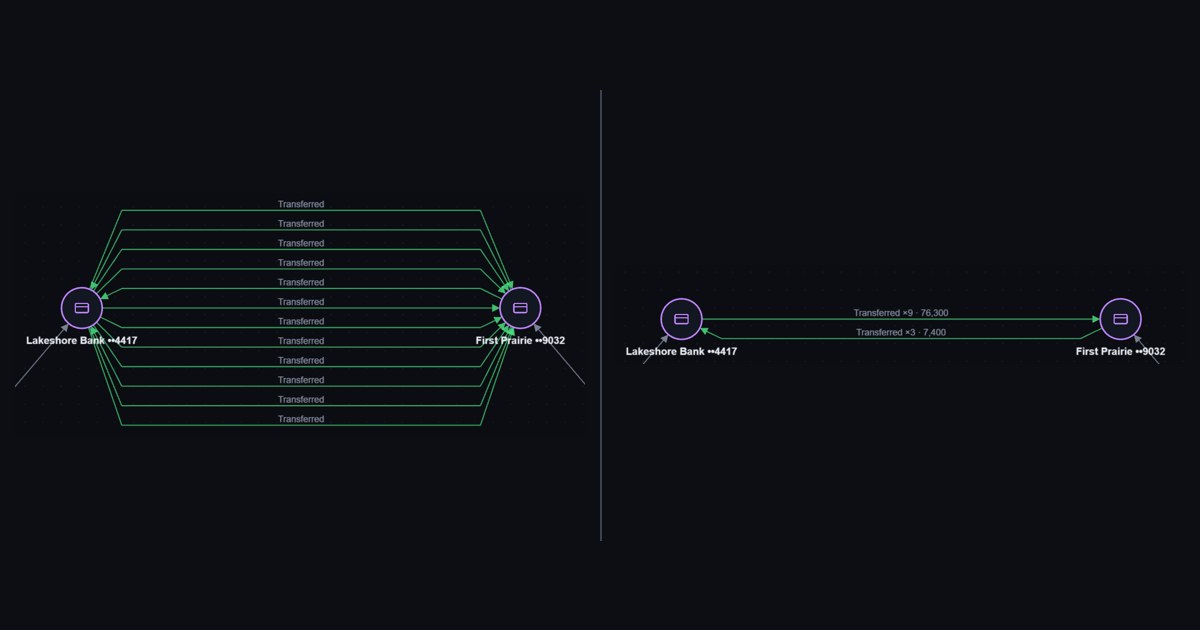
Import a month of bank statements or phone records and the same two entities show up again and again. Daniel Brooks's account sent money to Marcus Hale's account nine times. Hale sent some back three times. Their phones called each other sixteen times.
Every one of those is a link, and Minotrace draws every one of them.
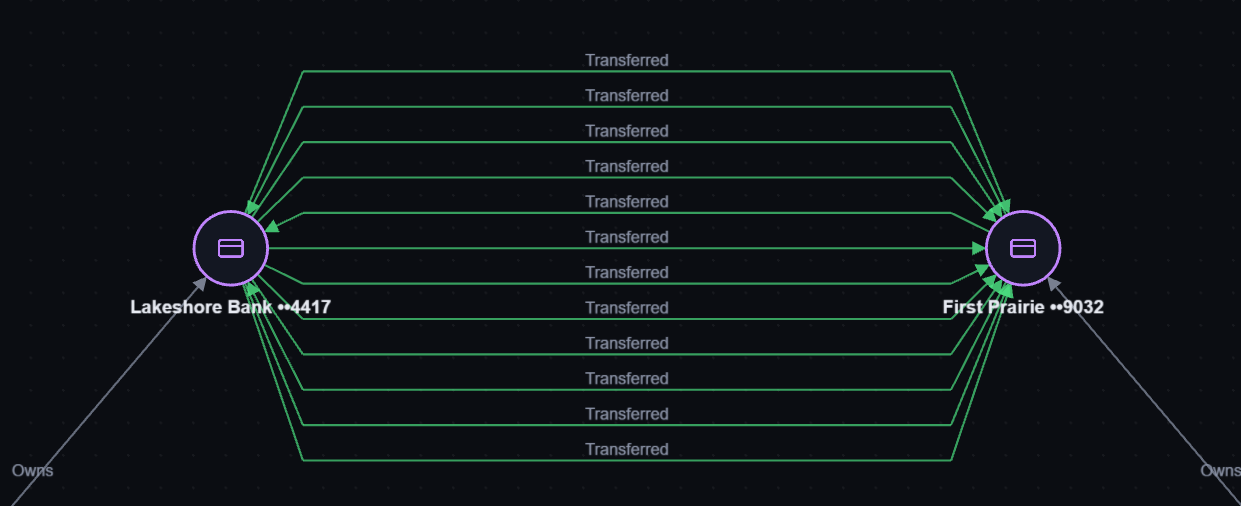
That's the right default: each transfer has its own date and amount, and you can click any line to see it. But with twelve lines you stop reading the case and start counting arrows. With three hundred, you can't count at all.
So you can choose, for each pair, how its links are drawn. The data never changes, only the picture.
Three ways to see a pair
Right-click any of the links and open Multiplicity.
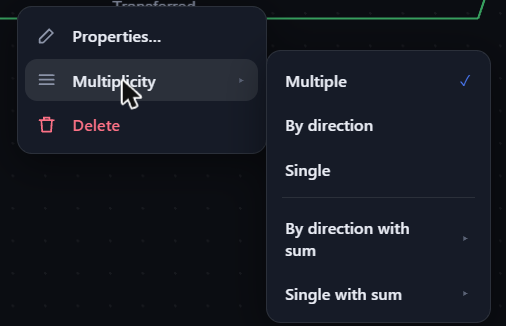
Multiple is what you saw above: one line per link.
By direction gives one line for each way the money moved, with a count. Now the question "who pays whom?" has an answer you can read at a glance: nine transfers out of Brooks's account, three coming back.
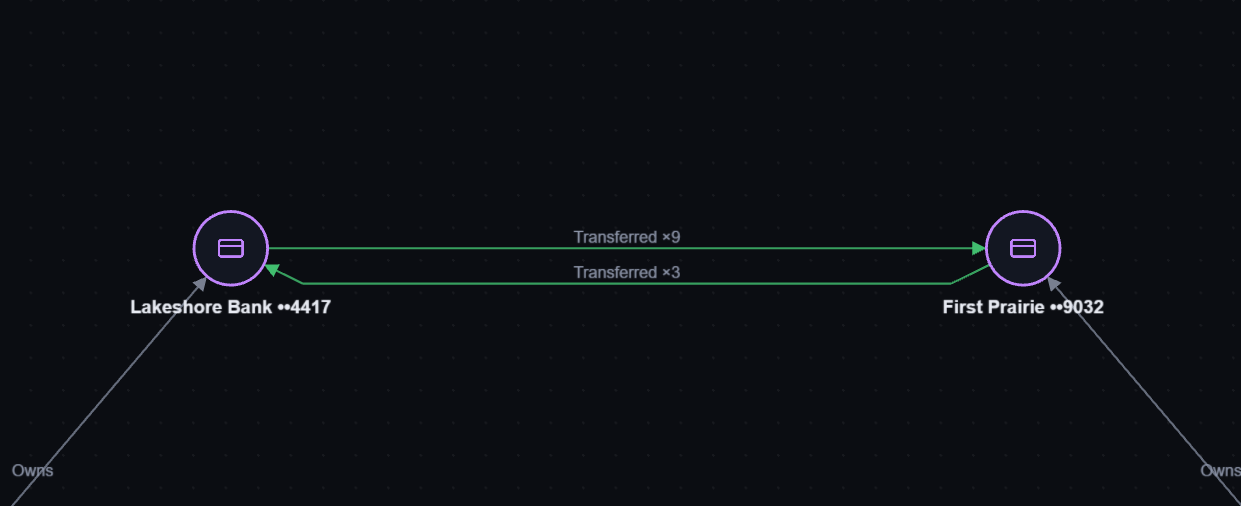
Single draws one line for the whole pair, with the total count. The arrows show that money went both ways.
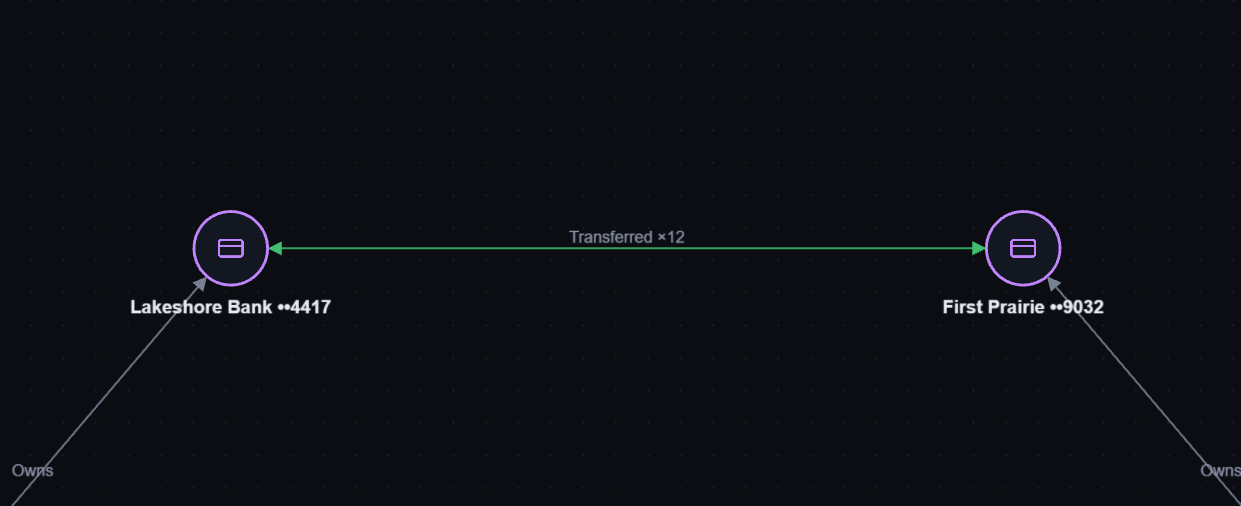
Add the total
A count tells you how often. For money, you also want how much. The two with sum options add up any number attribute of the links, like the transfer amount.
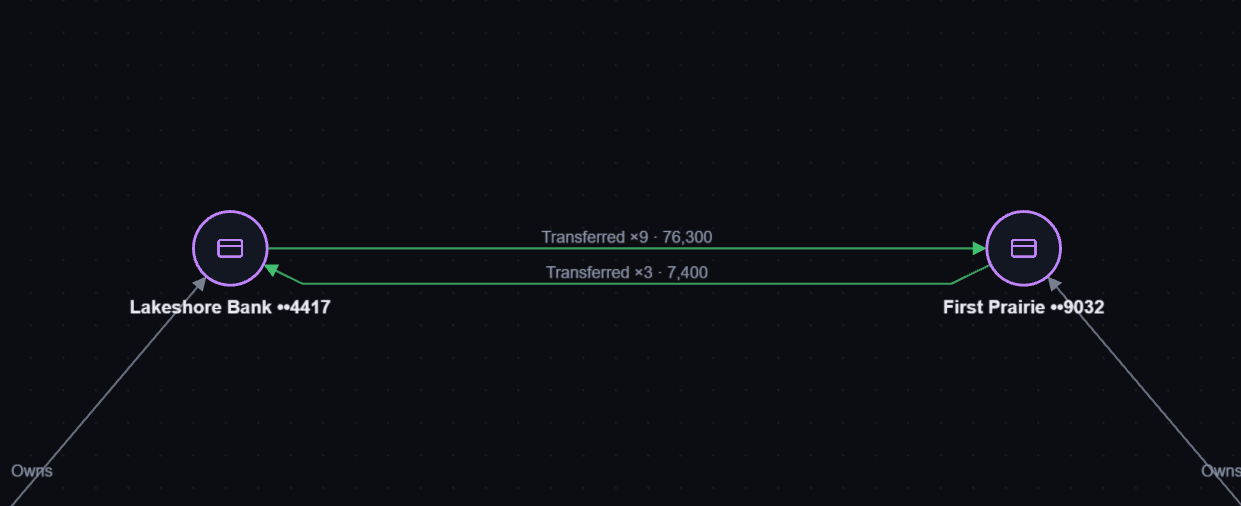
Now the pair reads like a summary line in a report: $76,300 out in nine transfers, $7,400 back in three. Open the list of those nine (more on that below) and another detail shows up: seven of them sit between $9,200 and $9,900, just under the $10,000 that triggers a bank's cash transaction report. A pattern like that is easy to miss in a statement and hard to miss on a board.
If a link has no amount, or the amount isn't a number, it still counts in the ×N but stays out of the total.
The grouped line is still every link
A grouped line isn't a summary you have to undo. It's all of its links at once.
- Click it and all of its links are selected. Delete removes them in one step, and Ctrl+Z brings them back.
- Double-click it and the list opens with just that pair's links, so you can sort them by date or amount.
- Search still finds a single transfer inside a group: the grouped line lights up.
- Hover shows the count and the full total.
Every pair at once
Changing pairs one by one is fine for a small board. After an import, press Ctrl+K and run Links: show all as By direction (or Single, or back to Multiple). Every pair with two or more links changes, in one step you can undo.
The choice is saved with the board, so it's still there when you open the file next week.
Your turn
Open Minotrace, import a CSV of transfers or calls (☰ → Import…), and press Ctrl+K → Links: show all as By direction. If you'd like another way to group links, say one line per link type, tell us.